How does a user verify themselves?
Players on Laramidia have two options for verification:
the Discord bot (in the "Player-Hub" channel) or the web panel.
Regardless of the verification method chosen, full access to all features is granted only after the process is completed.
The process is explained here from the user's perspective, including exactly which IDs are required.
Finding the Steam-ID (SteamID)
To even consider verification, a user needs their own Steam ID.
They can easily find it by following these steps:
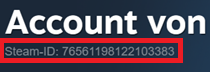
1. Open the Steam client and log in to the account.
2. Click on the username in the top right corner, then select "Account details."
3. The Steam ID can be found under "Account of..."
Verification via Discord Bot
The verification process via the Discord bot is incredibly simple.
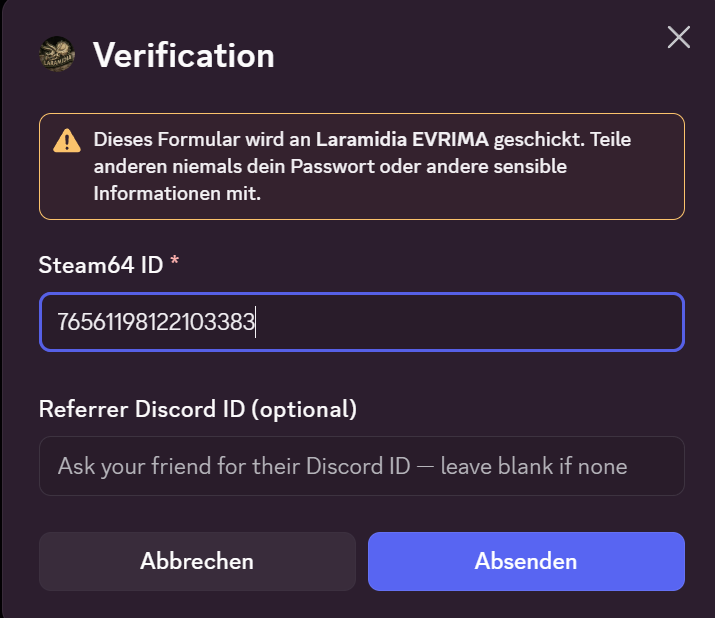
To do this, a user simply needs to go to the "Player Hub" channel and press the "Verify" button.
They then enter their Steam ID in the pop-up that appears.
Optionally, the user can also enter a friend's Discord ID here to use the referral system.
Find out more in the article: Referrals. (A link will be added as soon as the corresponding wiki has been set up.)
Verification via the web panel
Verification via the web panel is also incredibly simple:
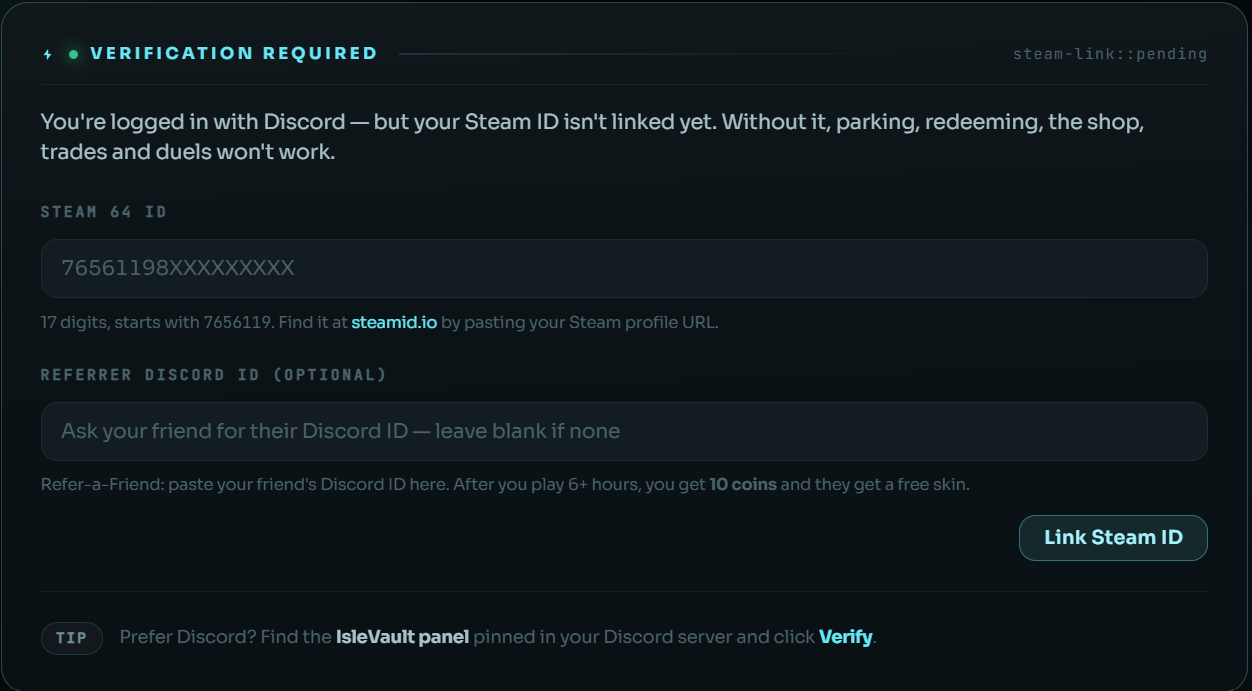
As soon as the user logs in for the first time, they see a large yellow banner at the top of their web panel:

Here, you have the option to simply click "Link your SteamID."
This allows the user to link their Steam ID and also enter another user's referral ID.
No comments to display
No comments to display